Overview
Context
Commenda is a platform that helps companies navigate global compliance: entity incorporation, ODI, FDI, GST, VAT, sales tax filings, and a dozen other services.
Commenda has two apps, majorly:
(client-facing)
(service delivery agents)
Target users for Agent App
Product usage
The agents use the agent app on a daily basis to deliver a service like incorporation, ODI, FDI, VAT returns, filings, and so on.
They usually have a workflow in place, and they have to complete the steps assigned to them, for example:
- Uploading documents
- Requesting documents
- Providing updates to the client
Contributions
Led design from concept to ship
setting the direction, producing the work, and driving the team toward measurable outcomes.
Partnered cross-functionally
with UX research to assist in uncovering key user pain points.
Worked closely with stakeholders
to refine product strategy, balancing user needs with business goals.
Problem
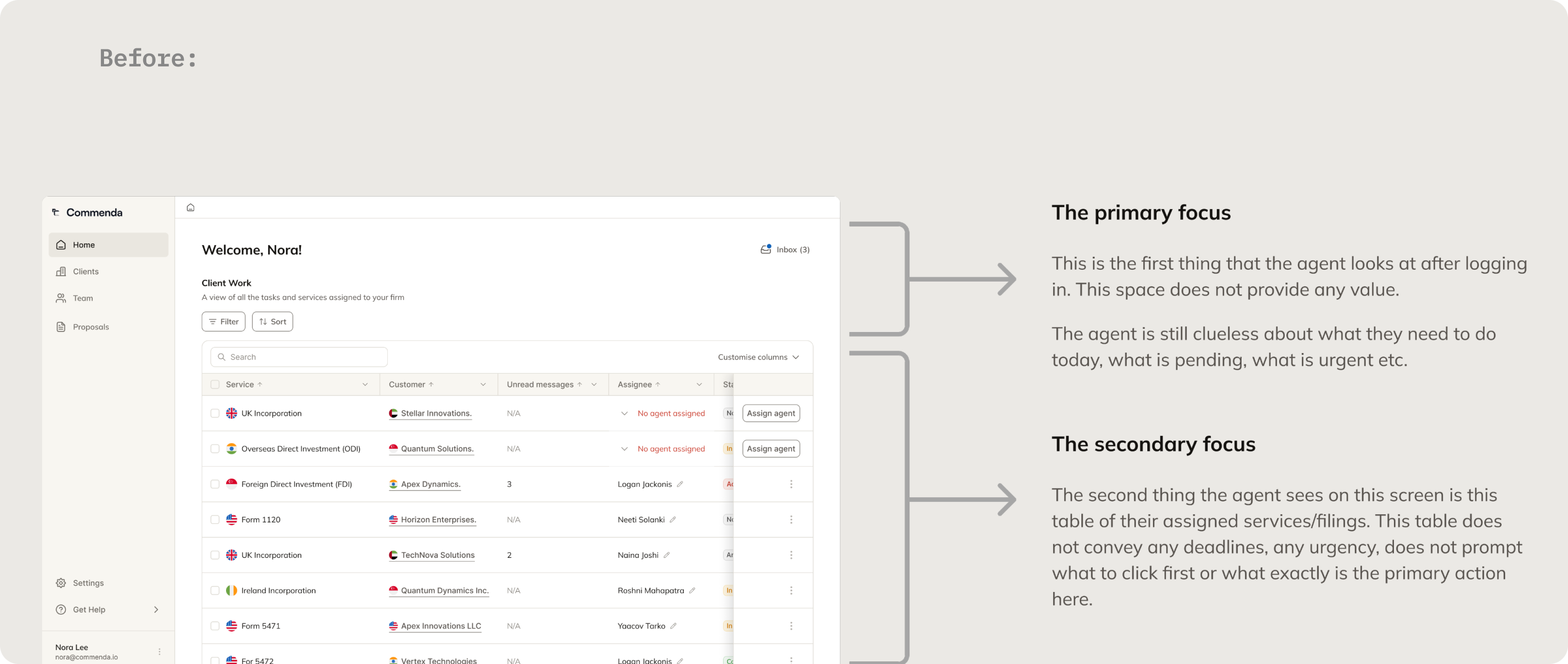
The home screen does not help agents prioritize work
After logging in, agents see a generic overview and a table of assigned services, but there is no clear indication of what is urgent, overdue, blocked, or requires immediate action.
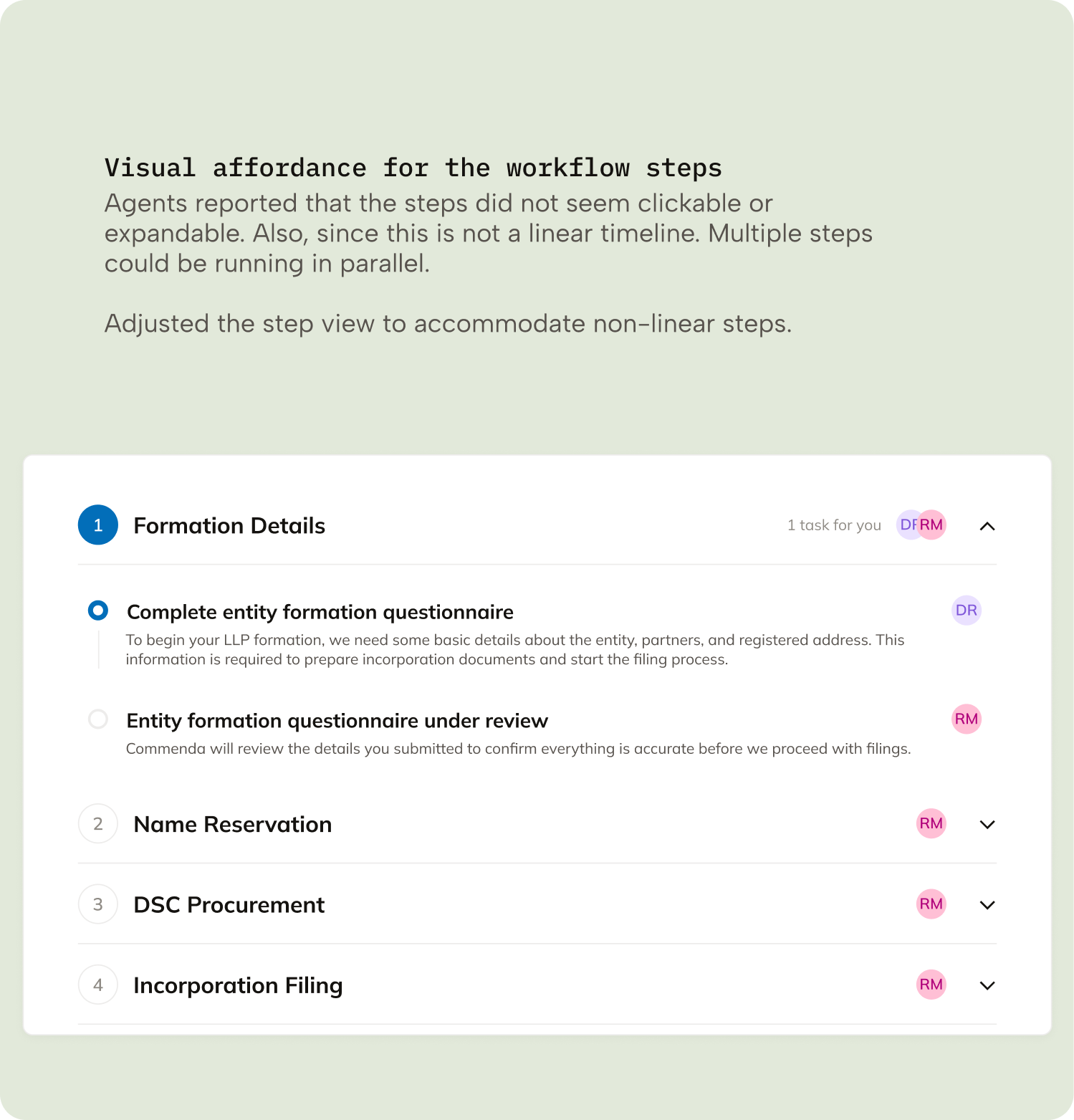
The workflow UI lacks clear guidance and next actions
Tasks and filings are displayed as static lists without emphasizing deadlines, priorities, dependencies, or the single most important action the agent should take next.
Important collaboration features are hidden or fragmented
Messaging and document-sharing are not easily accessible within the workflow, making communication and file management difficult during active service execution.
The interface contains repetitive information but low actionable value
Panels like status, progress, participants, and summaries repeat information already visible elsewhere, while more useful operational insights and actions are missing.
Solution
This was a huge project to begin with and hard to track and manage. Before starting to even think about the solutions, I sat down and came up with an elaborate plan. Every aspect needed attention.
I divided my work into 3 parts:
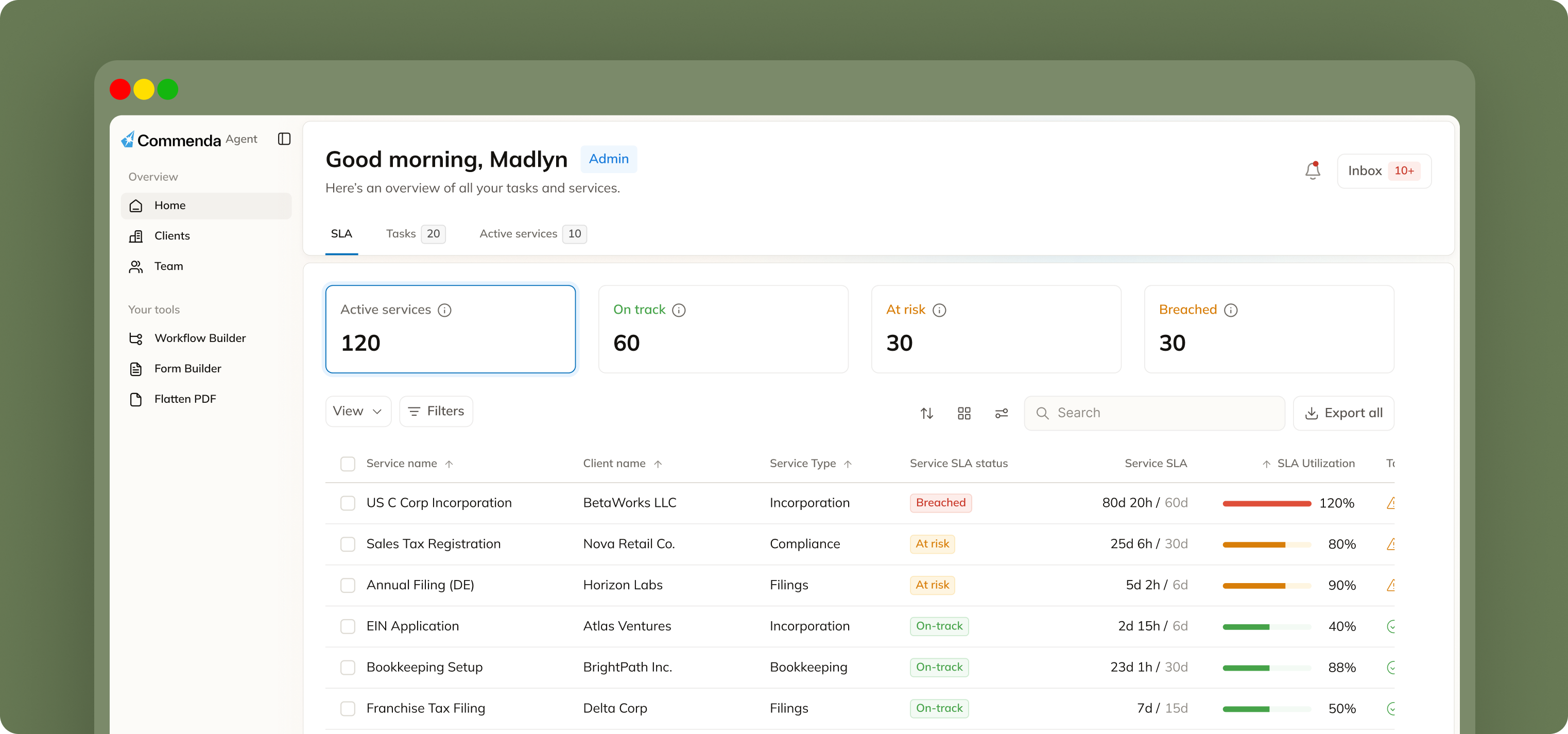
SLA tracking
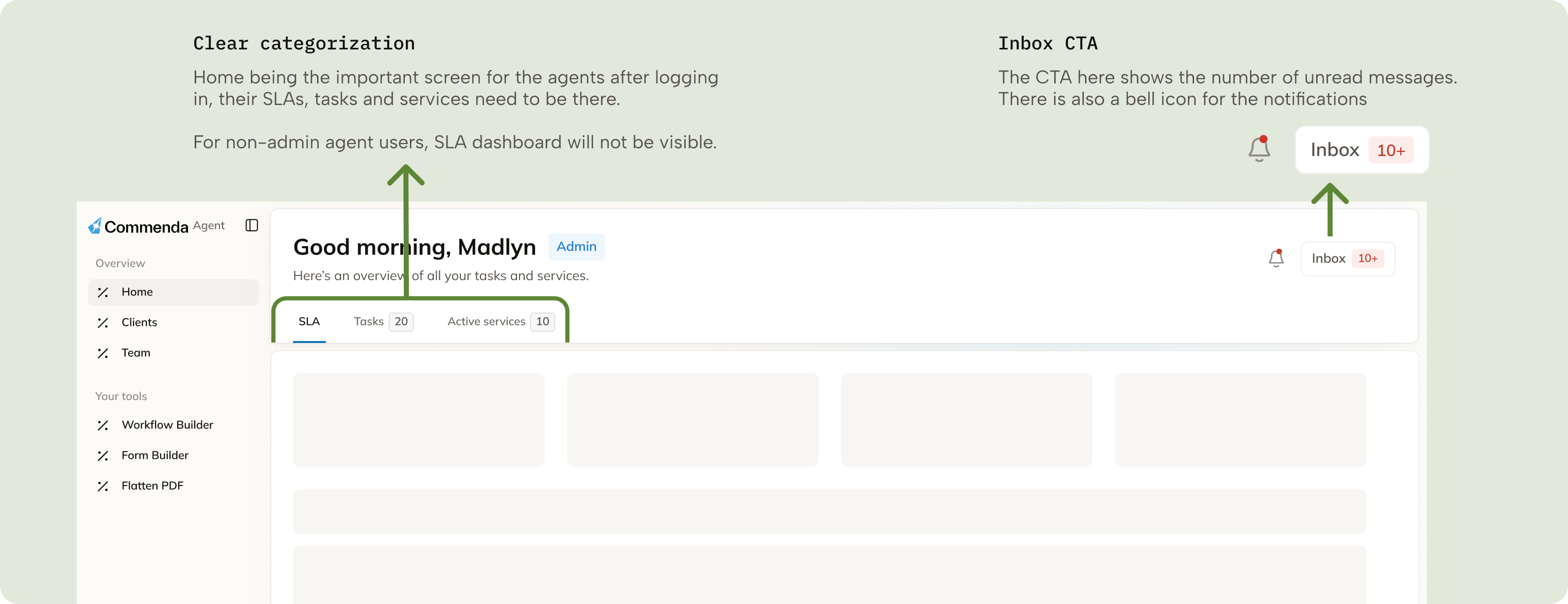
- Gives agents an immediate view of service health, urgency, and pending work right after login.
- Helps agents prioritize tasks based on deadlines and SLA risk instead of scanning long service tables.
- Reduces confusion around what needs attention first.
Tasks, Notifications & Inbox
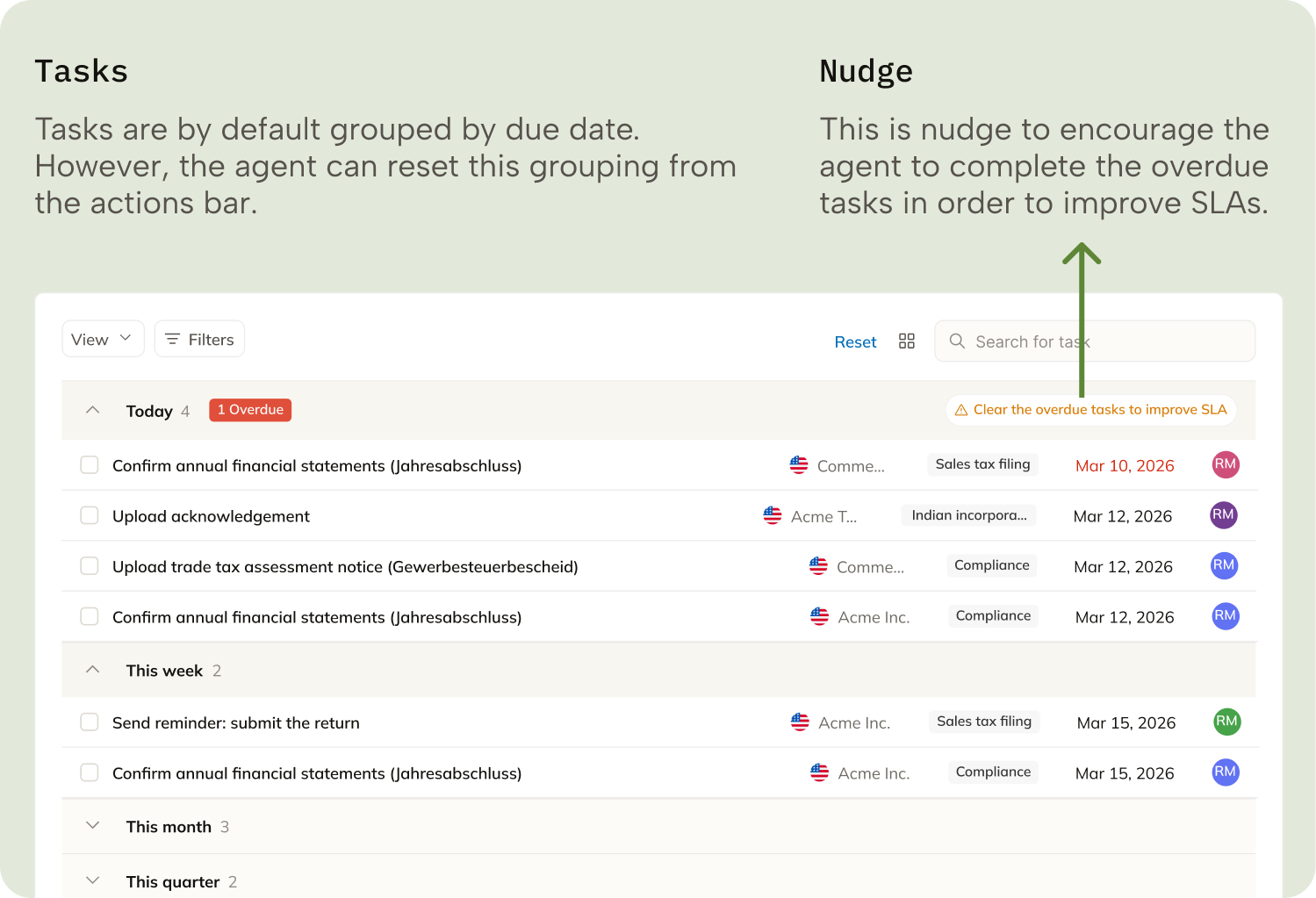
- Tasks provide a focused view of actionable work for the day, week, or month.
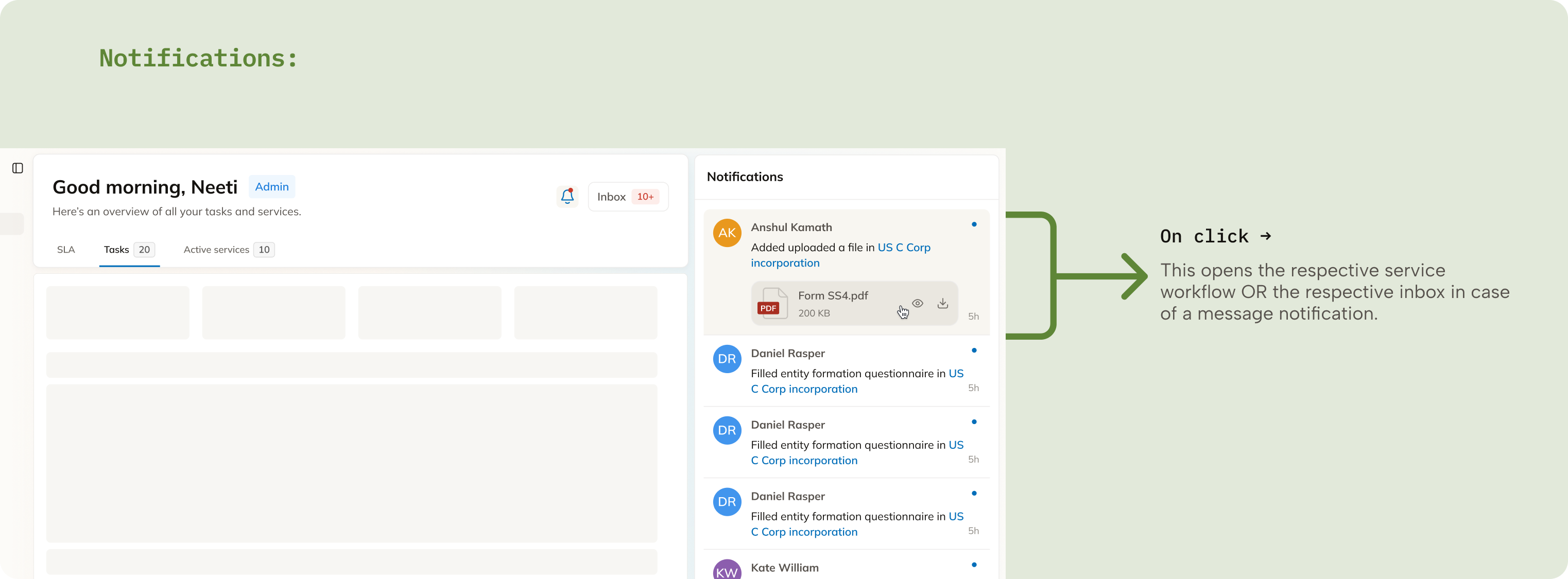
- Notifications keep agents updated on workflow changes and client-side actions in real time.
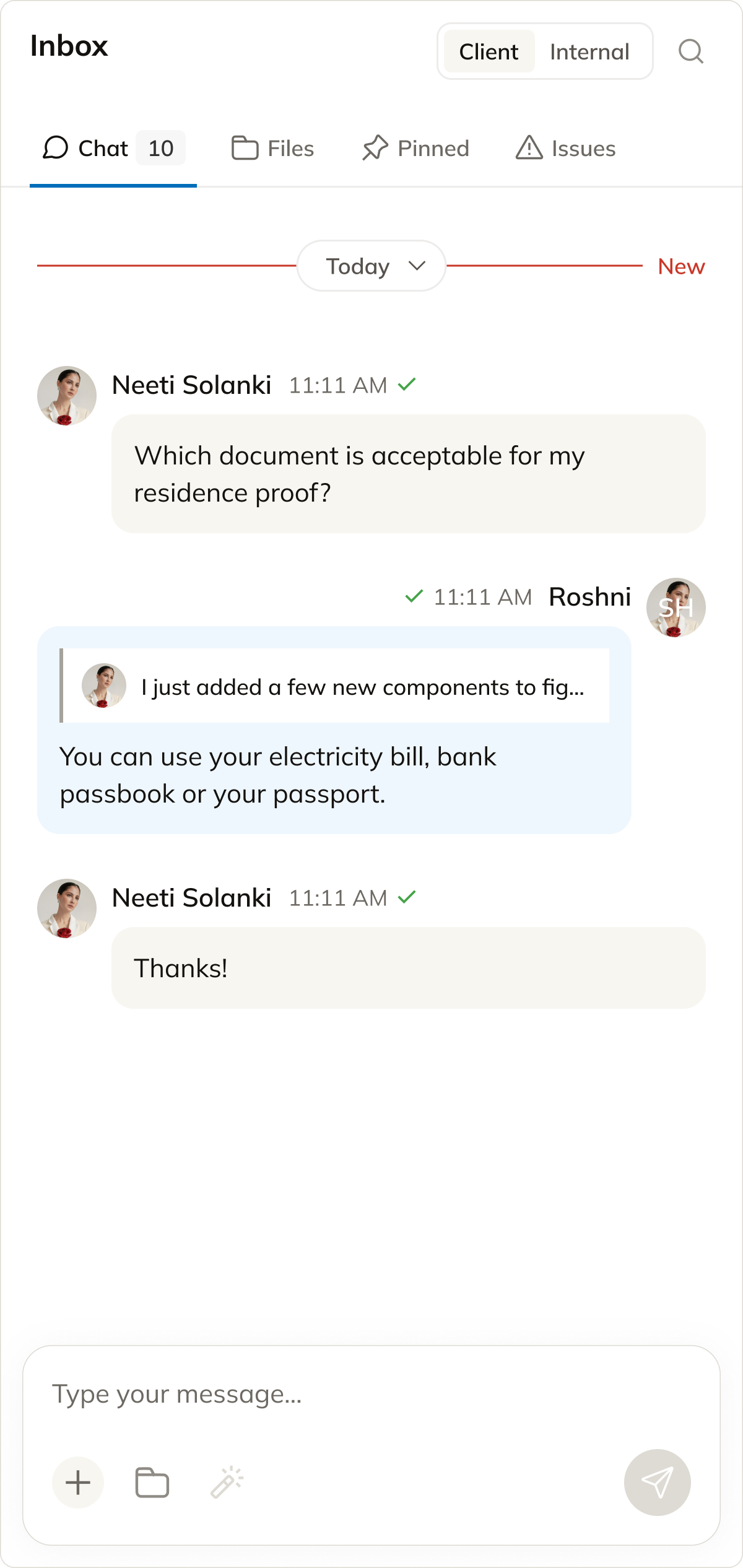
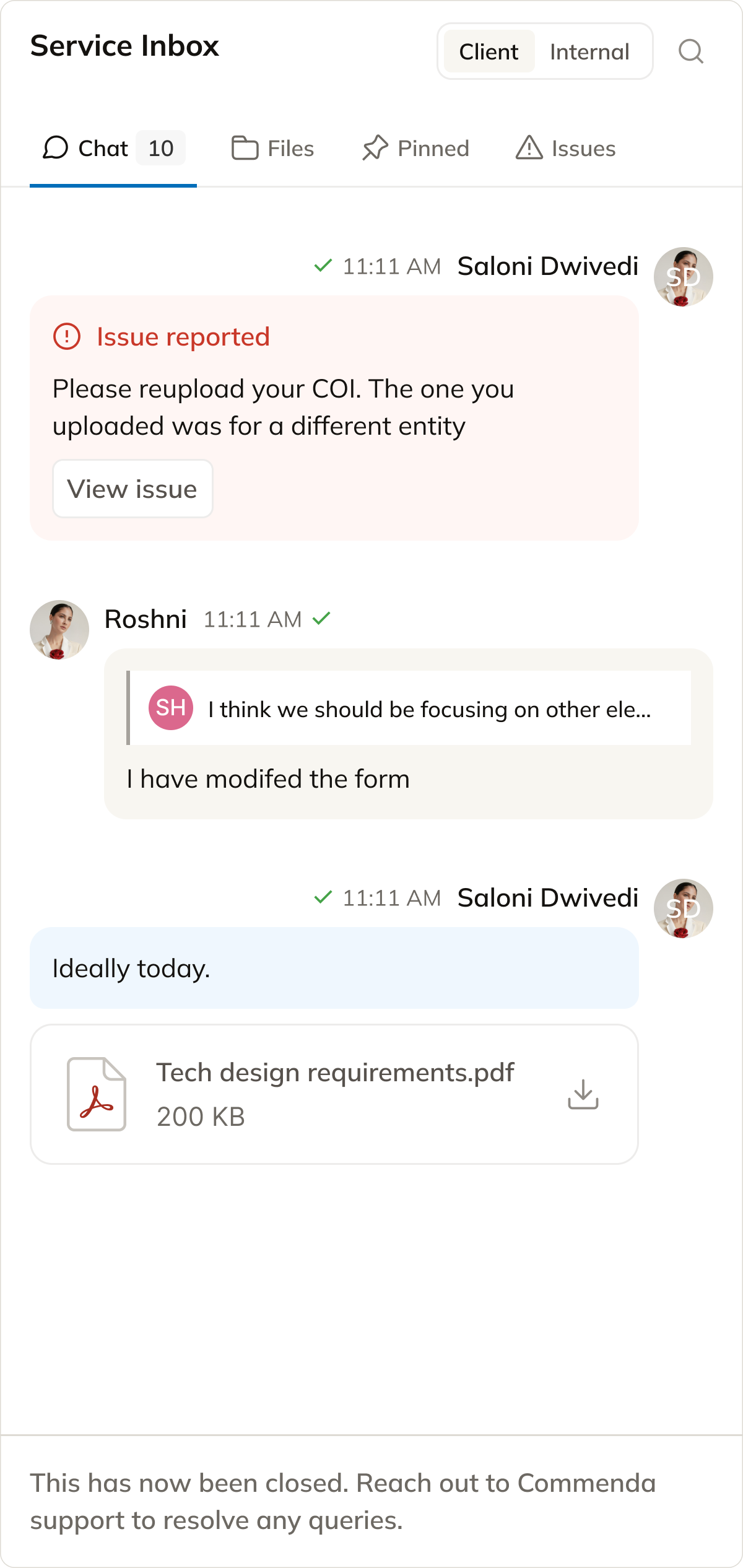
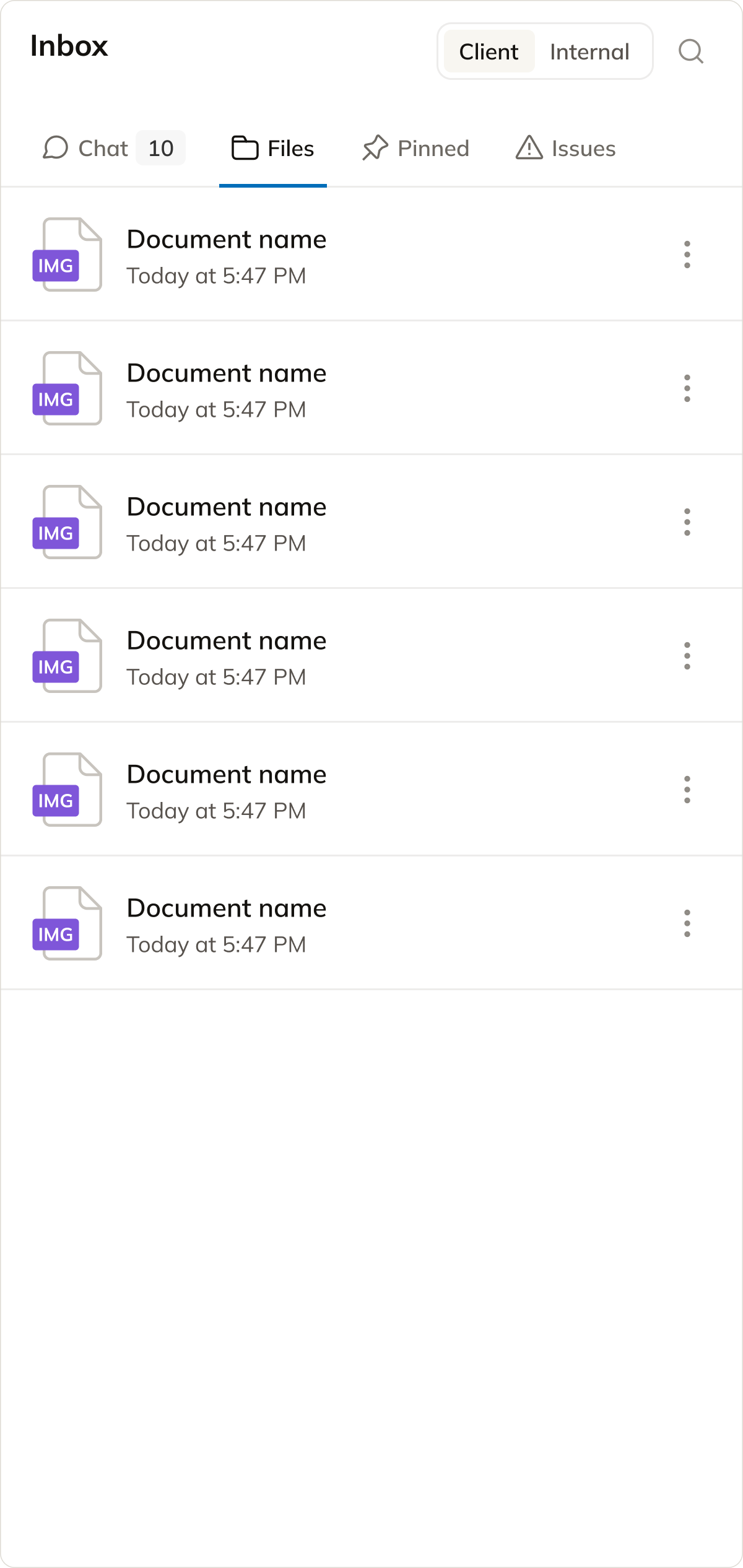
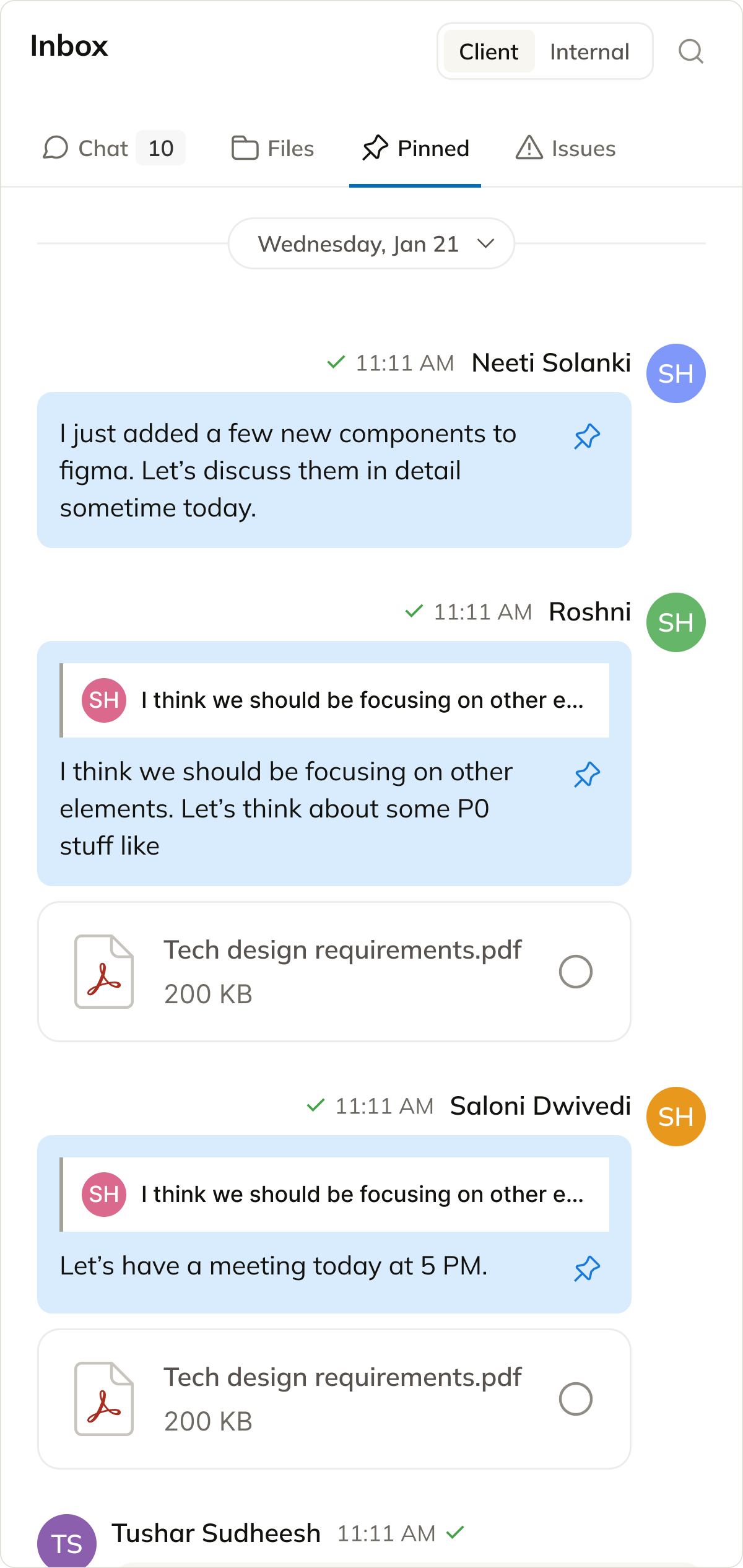
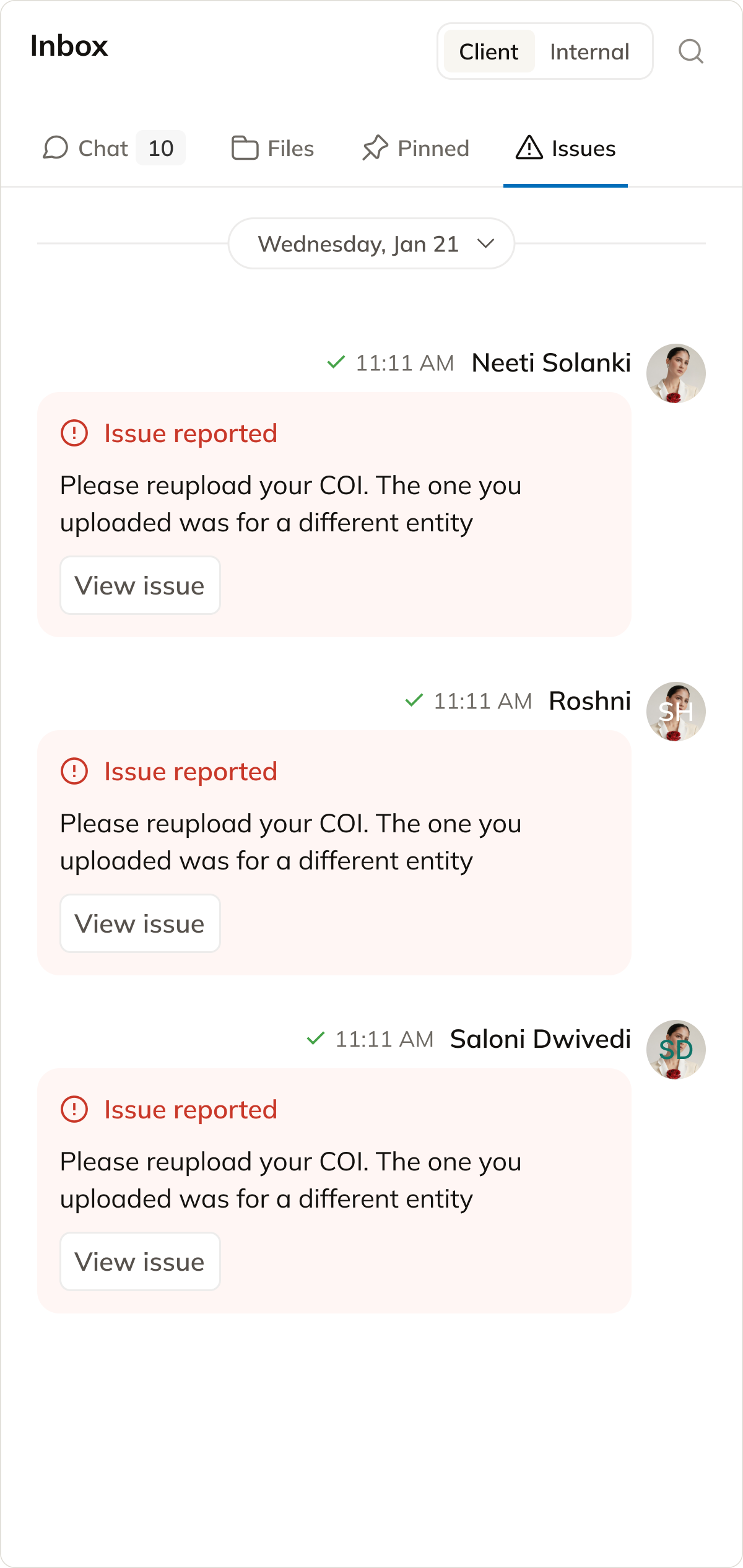
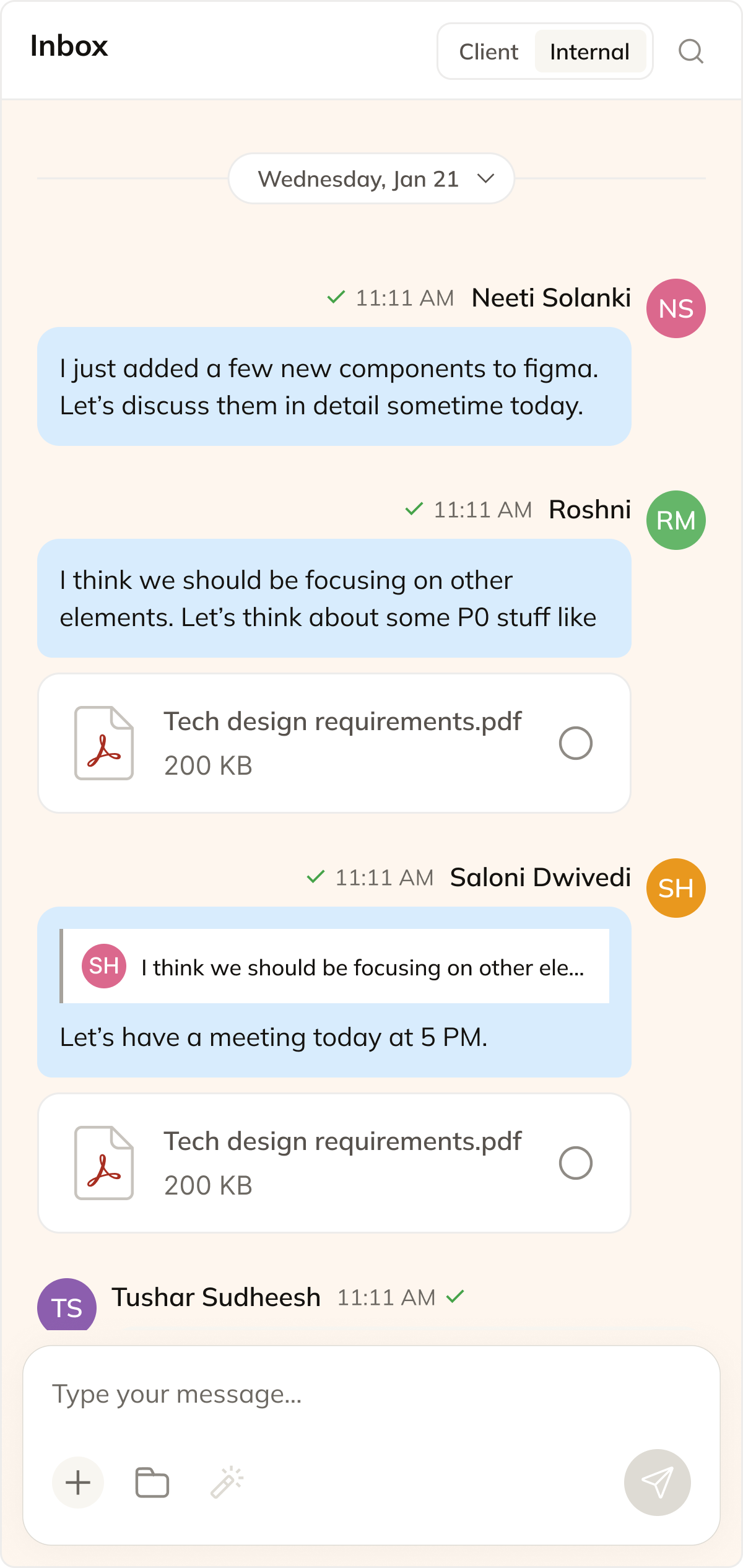
- Inbox improves discoverability of conversations and centralizes communication across services.
Service Delivery Workflow
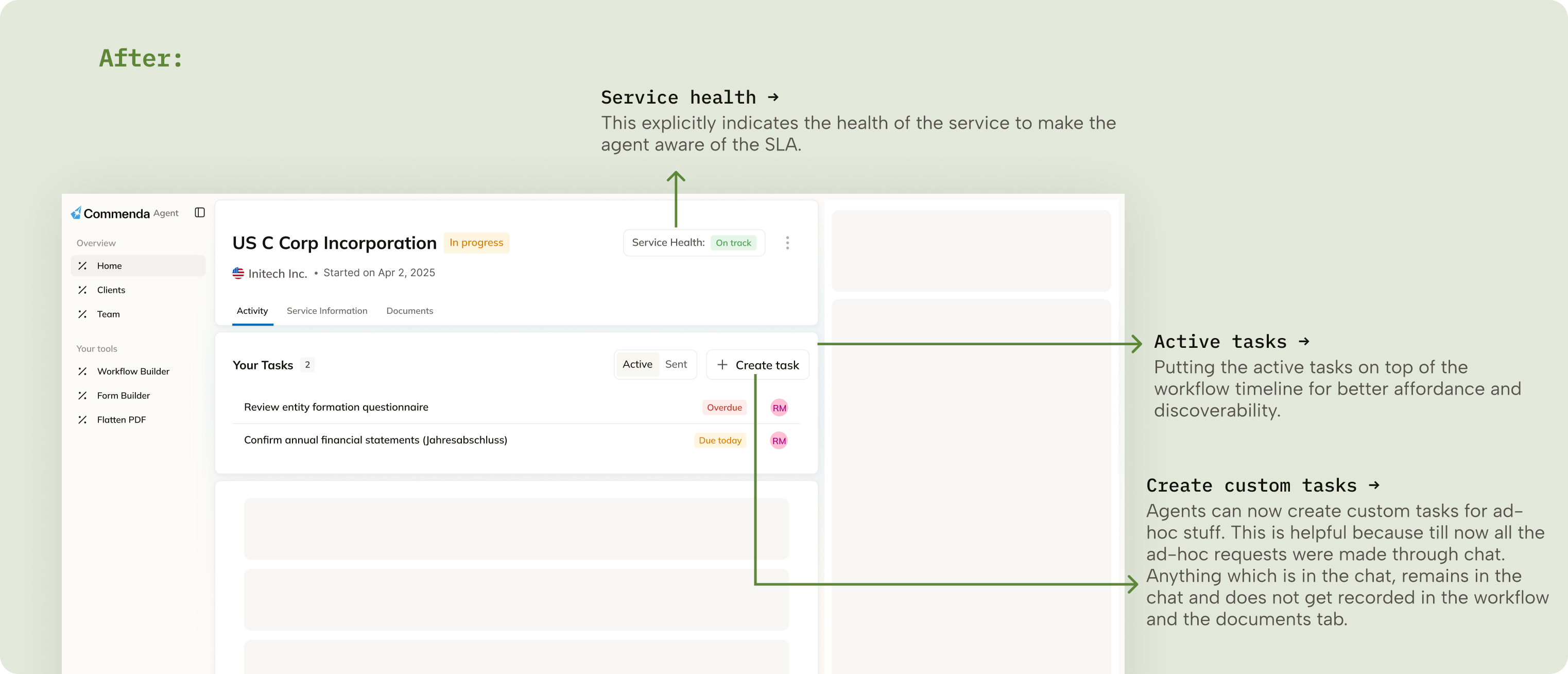
- Reorganized the workflow screen to prioritize the most relevant actions and information.
- Improved visibility and access to messages within the workflow.
- Removed redundant summary sections to create more space for actionable workflow content.
- Made the workflow easier to scan, understand, and execute efficiently.
Impact
Reduction in missed deadlines due to better prioritization and visibility.
Faster task initiation using SLA dashboard + focused task views.
Average workflow completion took ~14–16 days. Reduced to ~10–12 days
Process
User research
I went to the agents with a questionnaire prepared to ask them about their experience working on the agent app so far. They reported the following issues that they were currently facing.
Key pain points that they mentioned:
- Could not easily identify what was urgent, overdue, or needed immediate attention.
- Client actions, status changes, and important updates were often missed due to lack of notifications.
- Messages and key workflow actions were difficult to discover, forcing agents to navigate across multiple areas to complete work efficiently.
The extra mile
They say that, in order to fully understand something, one must experience it first hand. And, I did. I took up one US C Corp for one of our client and actually delivered the service end to end. It was an experience in its own. I had never done any of this before. I took a lot of help from our actual agents but did it first hand to know what's happening behind the scenes.
Agent Goals (Jobs To Be Done)
Prioritize work efficiently
Quickly identify urgent tasks, SLA risks, and next actions
Stay operationally aligned
Track workflow updates, conversations, and dependencies in one place
Business goals
Improve service delivery efficiency
Reduce SLA breaches and accelerate workflow completion
Increase operational visibility
Improve task accountability, communication responsiveness, and workflow tracking
Designs
SLA tracking & Tasks
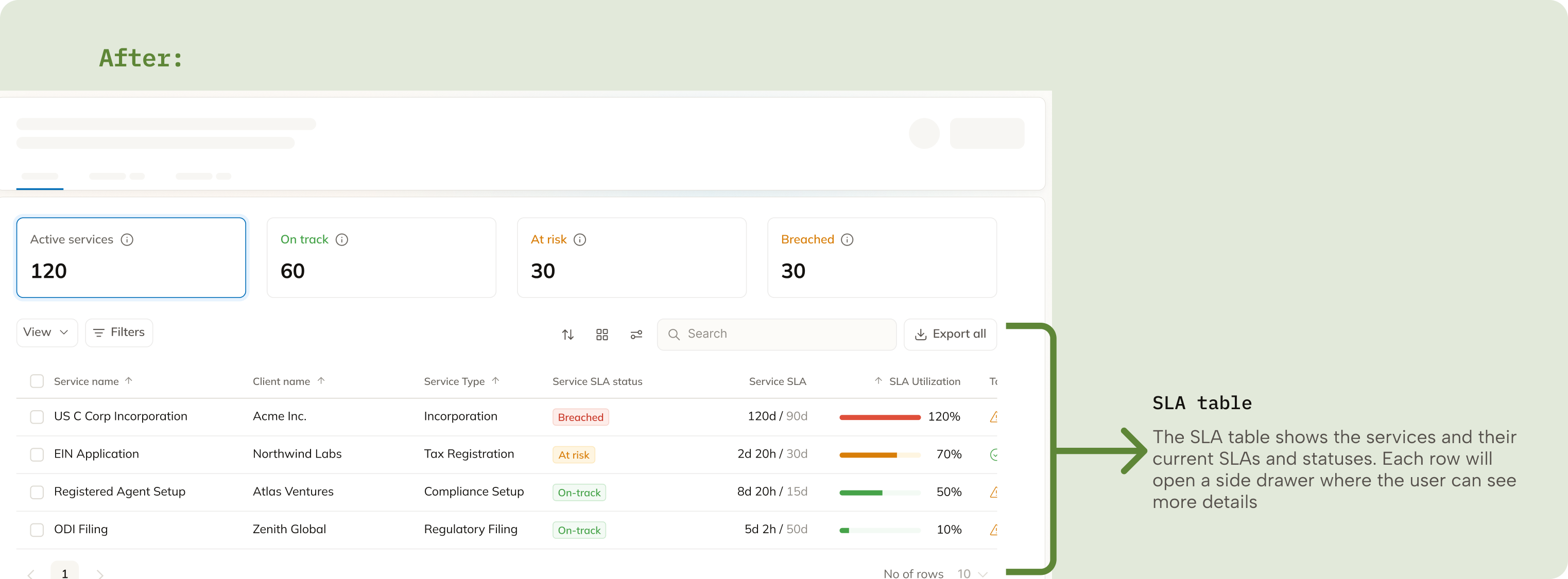
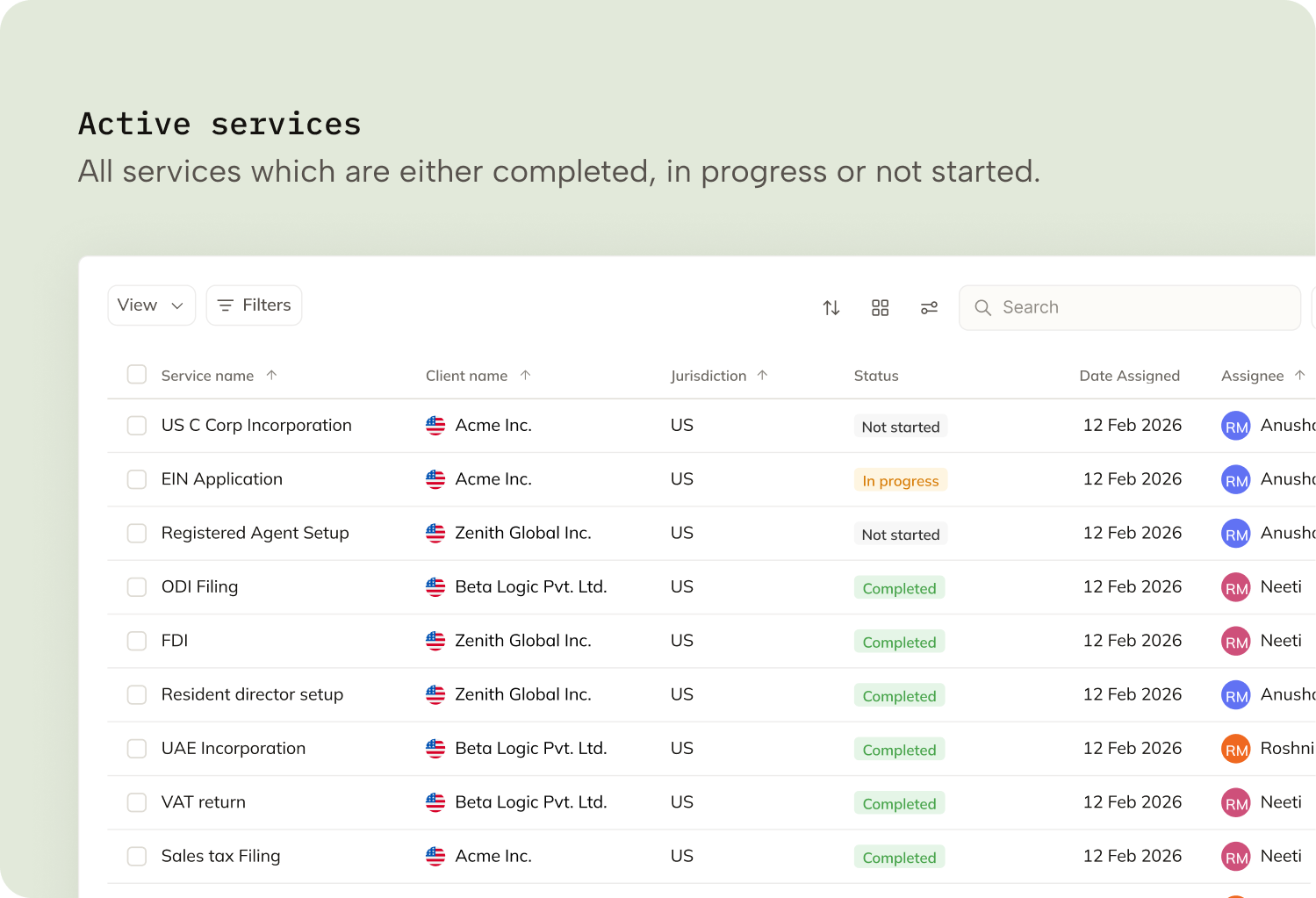
- Gives agents an immediate view of service health, urgency, and pending work right after login.
- Helps agents prioritize tasks based on deadlines and SLA risk instead of scanning long service tables.
- Reduces confusion around what needs attention first.
- Tasks provide a focused view of actionable work for the day, week, or month.
Notifications & Inbox
- Notifications keep agents updated on workflow changes and client-side actions in real time.
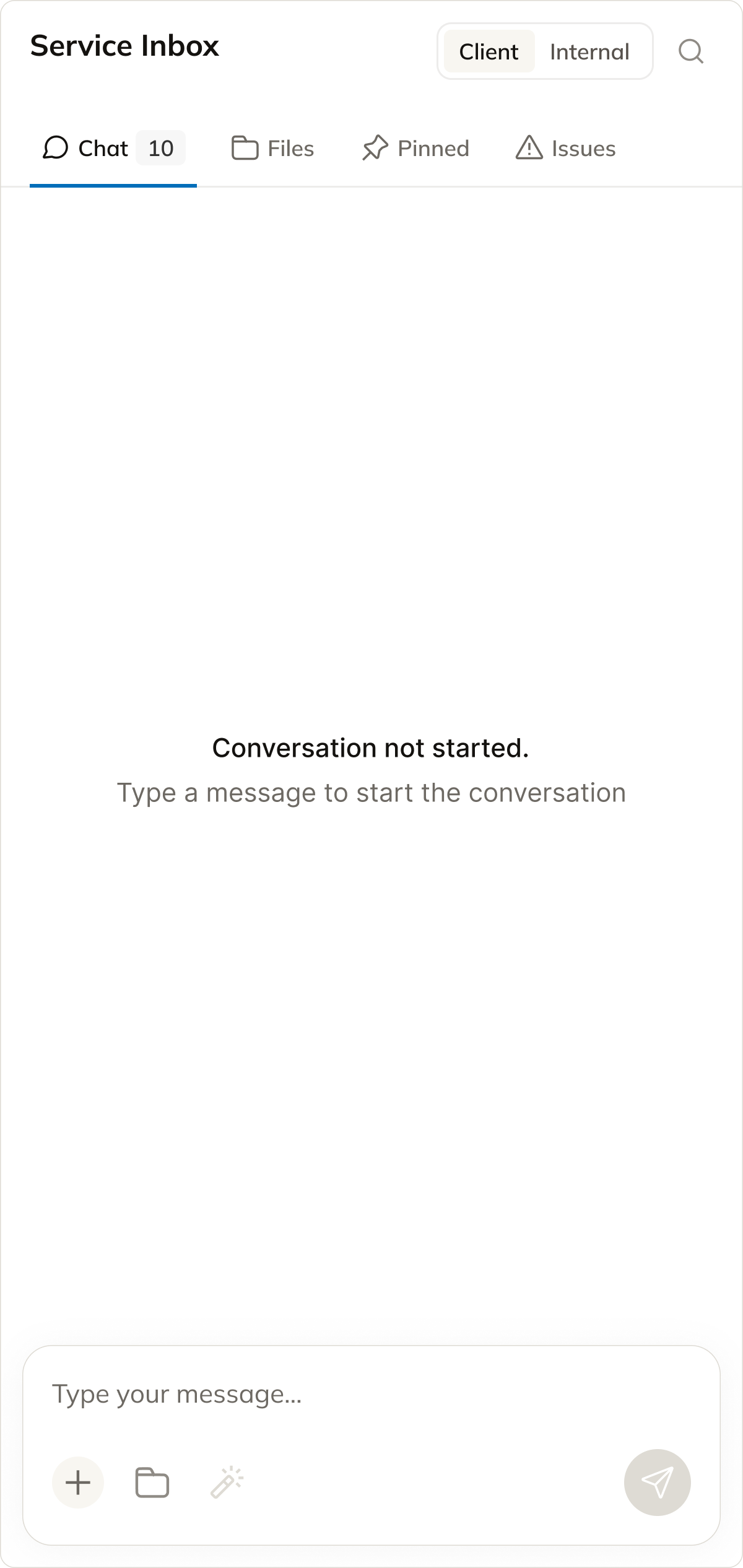
- Inbox improves discoverability of conversations and centralizes communication across services.
Service Delivery Workflow
- Reorganized the workflow screen to prioritize the most relevant actions and information.
- Removed redundant summary sections to create more space for actionable workflow content.
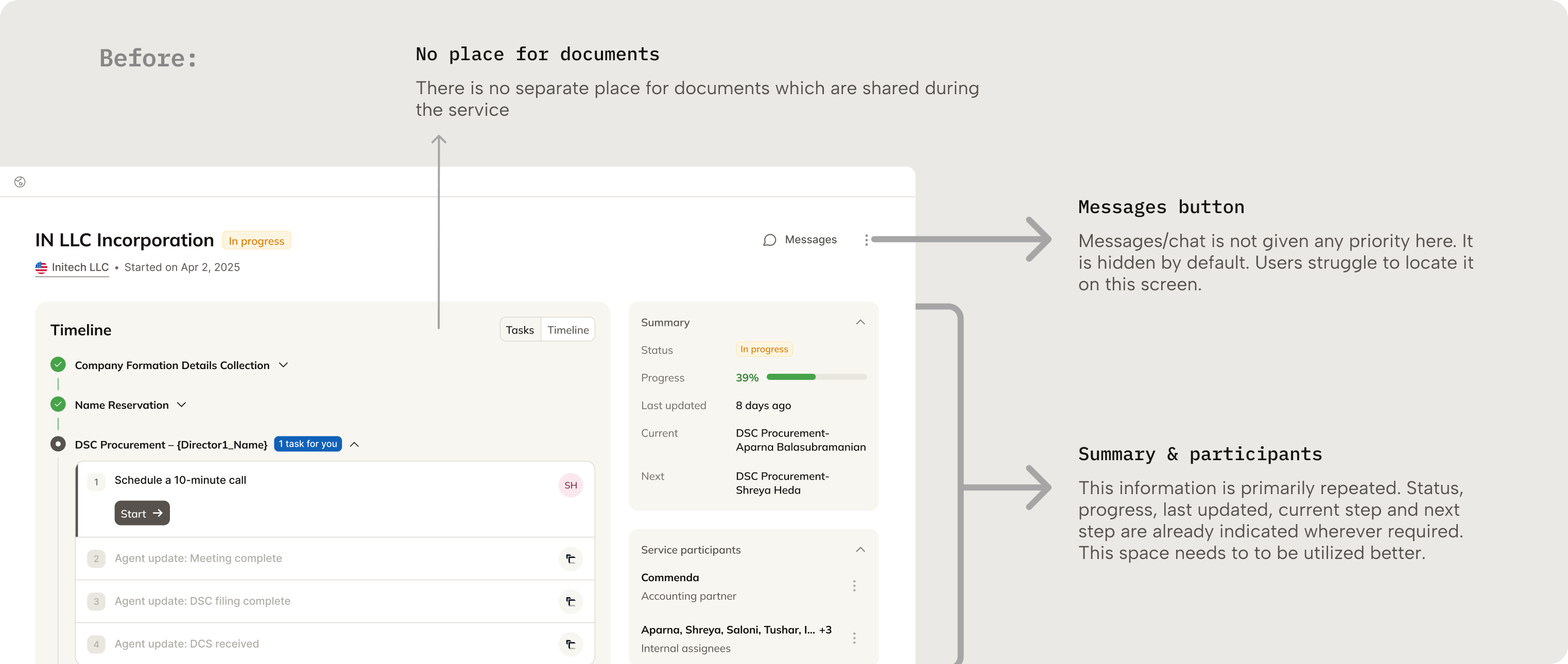
- Improved visibility and access to messages within the workflow.
- Made the workflow easier to scan, understand, and execute efficiently.
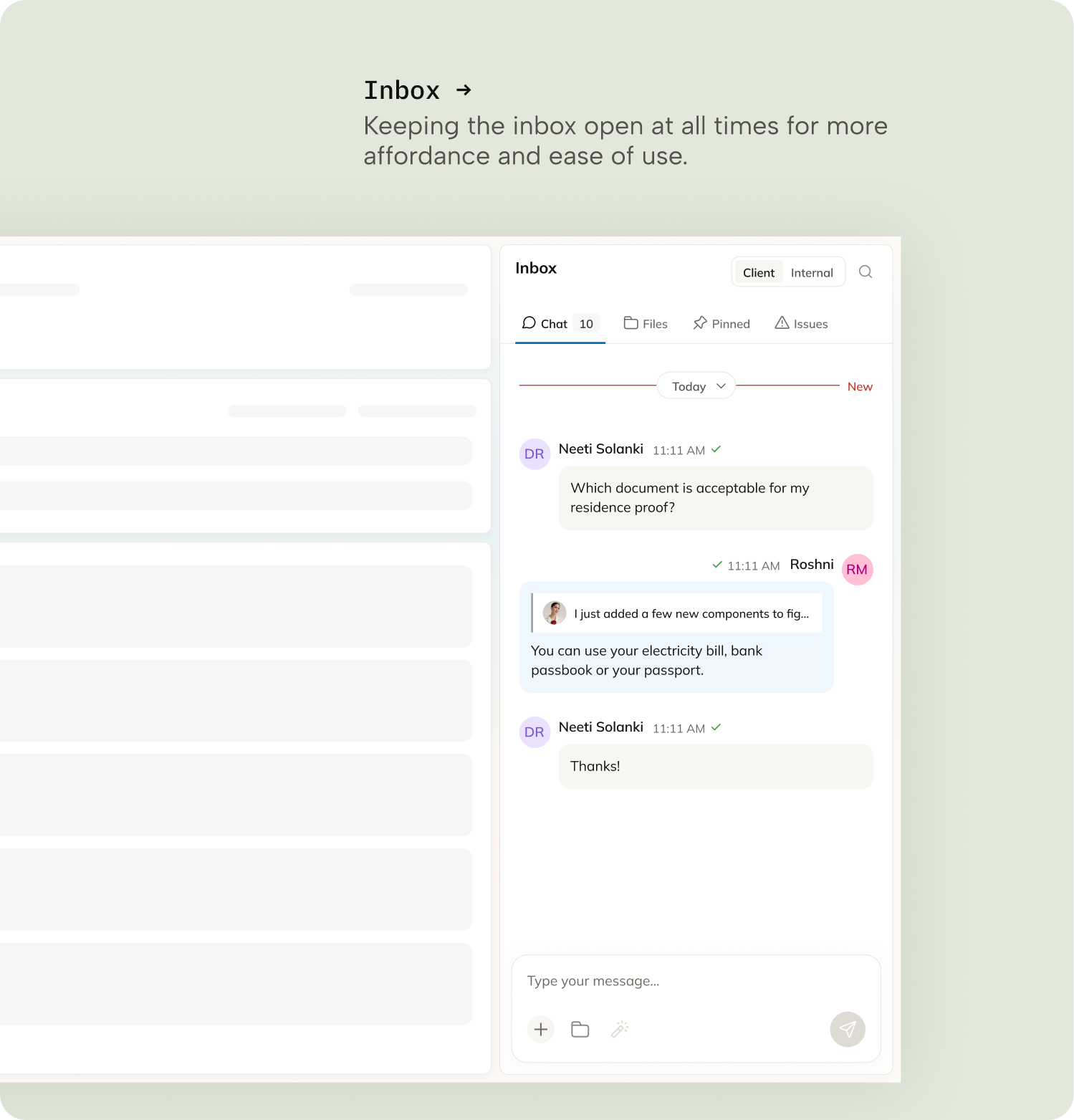
Inbox States
Learnings
Designing for operational clarity
Small visibility improvements had a significant impact on agent efficiency. Prioritizing urgency, next actions, and workflow status reduced the cognitive effort required to manage multiple services.
Communication is part of the workflow
Messages, updates, and client actions were critical to service execution, not secondary features. Making communication visible inside workflows improved responsiveness and reduced missed follow-ups.
Iterating closely with operations teams
Frequent collaboration with agents and internal teams helped validate workflows quickly and uncover operational pain points early.